Data tells a story, but the way you present it defines the narrative. At Kodalogic, we've crafted Data Studio (formerly Looker Studio) templates that transform raw numbers into actionable insights. These aren’t just dashboards, they’re tools to elevate your decision-making.
Welcome to the next level.
Create. Customize. Connect.
Imagine a report that not only delivers results but reflects your vision. Our Google Data Studio templates seamlessly integrate with your data sources, whether it's Google Analytics 4, Google Ads, or Google Search Console.
From small businesses to full-scale agencies, each template is purpose-built to turn data into impact and save hours of manual reporting.
Choose the Perfect Dashboard
| Template | Best Fit For | Key Differentiator | Primary Use Cases |
|---|---|---|---|
| Google Search Console Dashboard | SEO marketers | Smart Interpretations: Actionable SEO insights. | Keyword optimization, content strategy. |
| Google Ads Dashboard | PPC agencies | Detailed ROI metrics for every ad. | Monthly reports for Google Ads. |
| Google Analytics 4 Dashboard | Web analytics professionals | Plug-and-play metrics tailored for GA4. | Traffic analysis, conversion tracking. |
| Web & SEO Performance Dashboard | Advanced SEO and marketing agencies | Combines GA4 and Search Console in one place. | Comprehensive SEO + traffic reports. |
| All-in-One Dashboard | Large agencies and multitasking teams | The ultimate unified solution for web, SEO, Ads. | Centralized reporting for KPIs. |
1. Google Search Console Dashboard: Simplicity Meets Power
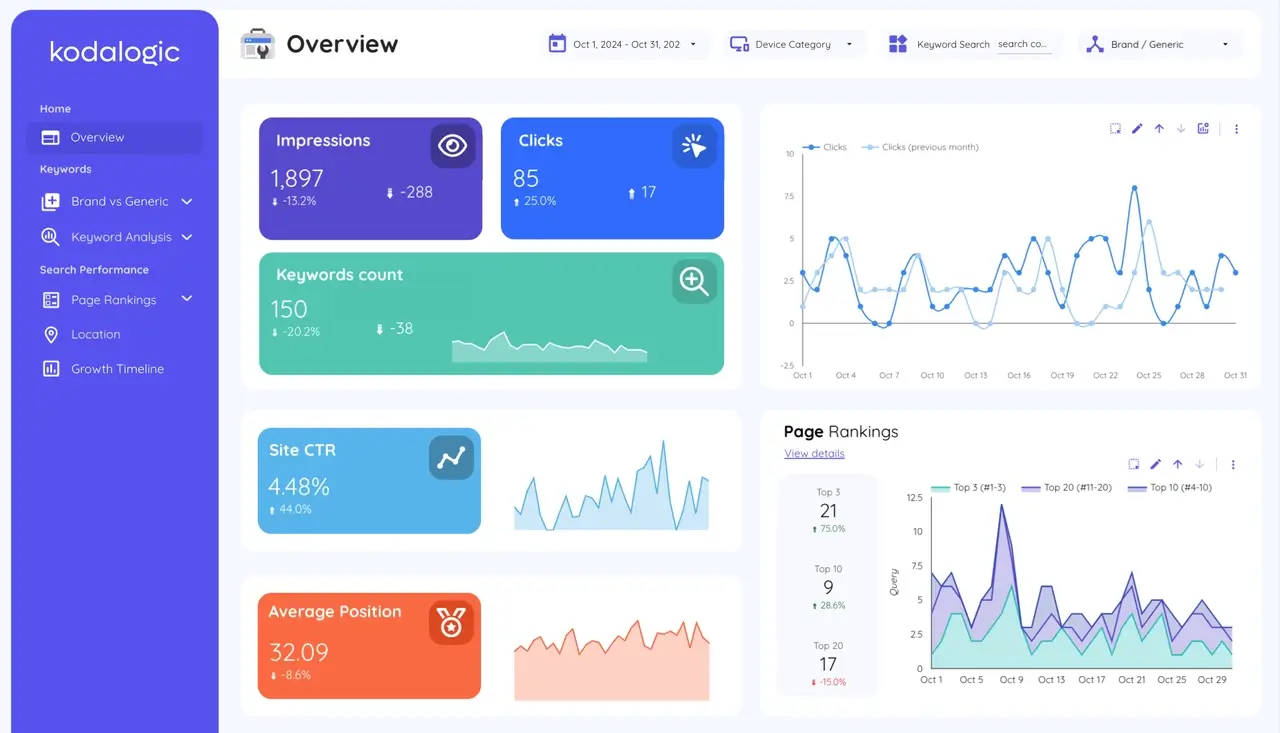
Stop getting lost in a sea of numbers. This dashboard is designed to turn raw data into actionable insights with its Smart Interpretations feature, a game-changing functionality that highlights what truly matters in your SEO performance. Instead of manually sifting through complex metrics, Smart Interpretations deliver clear recommendations and trends so you can focus on optimizing your strategy.
Key Features:
- Smart Interpretations for Clear Insights: Automatically analyze key SEO metrics like keyword rankings, click-through rates, and impressions, turning them into actionable suggestions.
- Top Keywords at Your Fingertips: Quickly identify terms driving the most traffic and discover new opportunities for growth.
- URL Performance Analysis: Pinpoint your best-performing pages and uncover areas for improvement.
- Visual Trends in Real Time: Detect shifts in performance and act swiftly to capitalize on opportunities or address issues.
Why It Saves You Time:
The Smart Interpretations feature means no more guesswork or wasting hours decoding search performance data. This dashboard does the heavy lifting, giving you a precise understanding of what’s working and what isn’t, instantly.
Best for: SEO marketers and small businesses needing quick, effective analysis to stay ahead of competitors.
Explore Google Search Console Dashboard
2. Google Ads Dashboard: Optimize Every Click
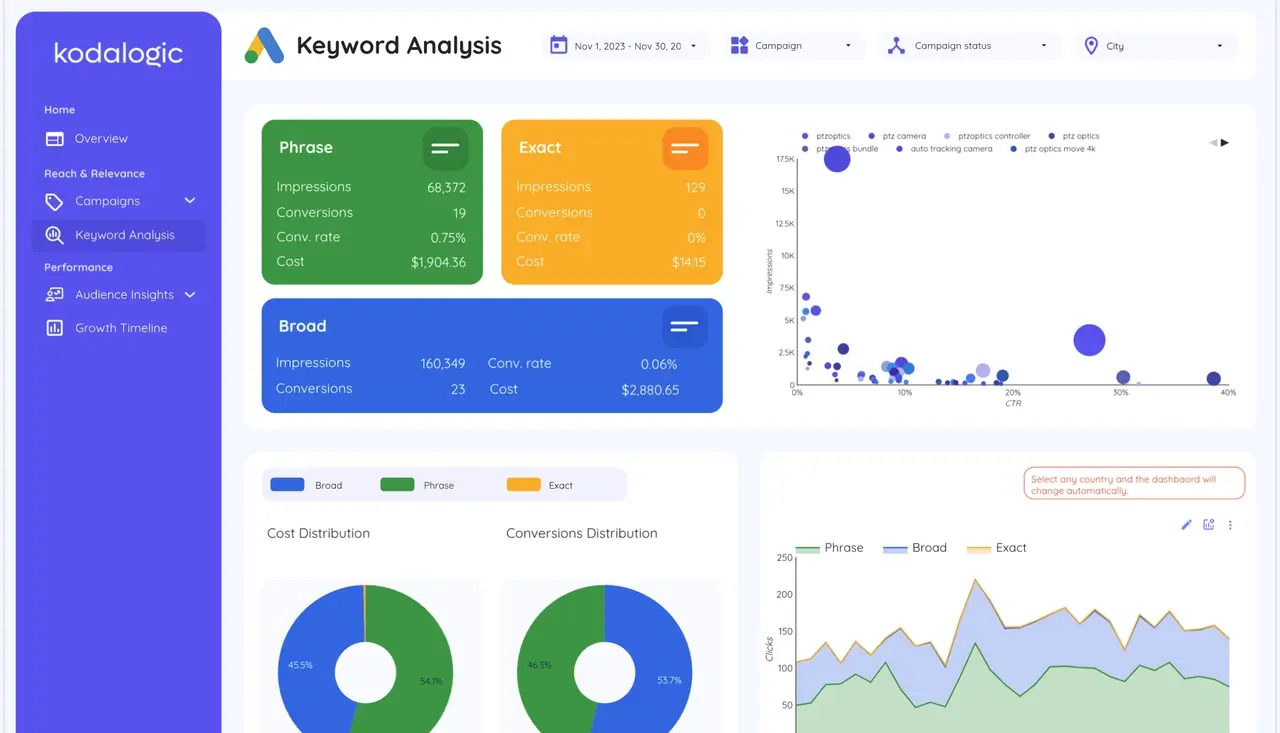
Maximize your ad performance with Kodalogic’s Google Ads Dashboard. This tool simplifies campaign analysis, highlights actionable insights, and saves you hours with a setup time of under one minute.
Dashboard Sections and Advantages
| Section | What It Does |
|---|---|
| Overview | View impressions, clicks, conversions, and costs in one glance. |
| Campaign Analysis | Compare campaign performance to optimize budget allocation. |
| Location Performance | Identify high-ROI regions and reduce wasteful spending. |
| Keyword Analysis | Refine search terms for maximum conversions and minimum costs. |
| Demographics | Target high-value age and gender segments effectively. |
| Time Analysis | Optimize campaigns for peak engagement times. |
Why It Saves You Time
- Setup in Less Than a Minute: From connection to insights, get started immediately.
- Eliminate Manual Reporting: Focus on strategy with automated, shareable reports.
- Actionable Insights Fast: Know exactly where to adjust campaigns for better ROI.
Best for: PPC agencies and businesses looking to maximize ad spend with minimal effort.
Discover the Google Ads Dashboard
3. Google Analytics 4 Dashboard: Simplify, Visualize, and Drive Results
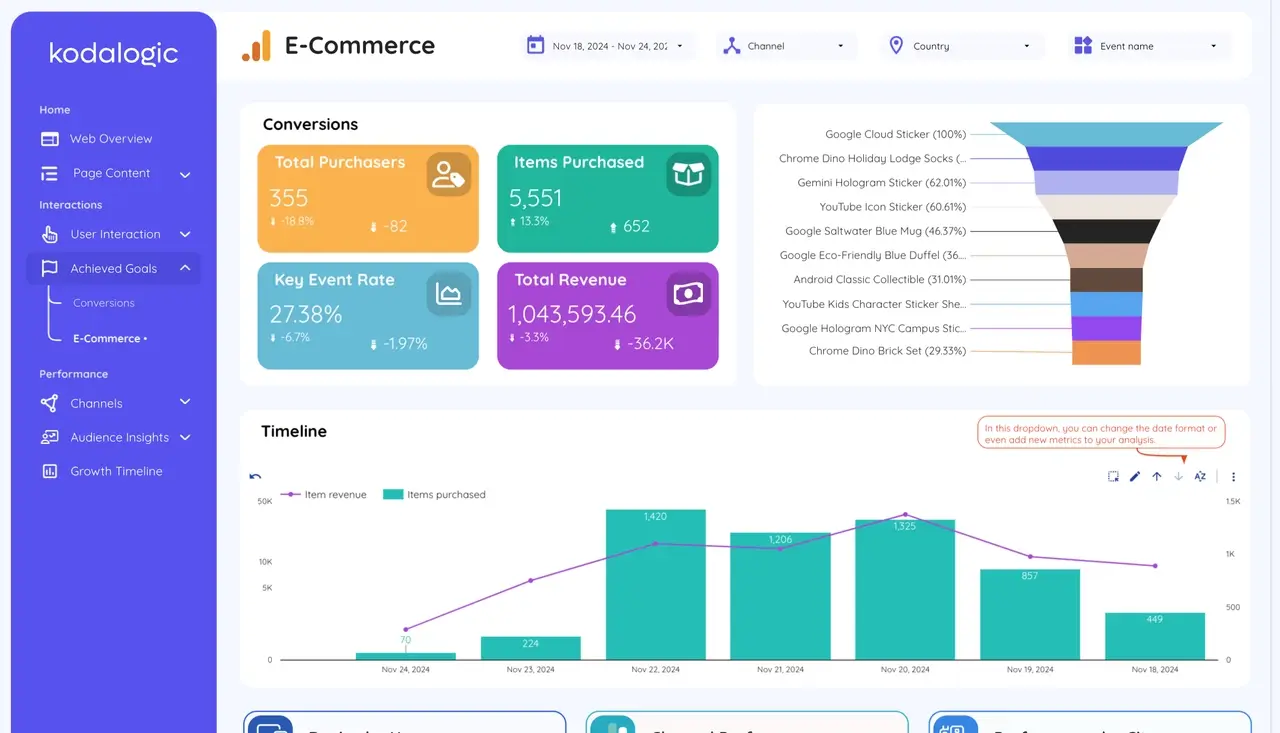
Unlock the full potential of your Google Analytics 4 data with Kodalogic’s GA4 Dashboard for Looker Studio. Designed for clarity and efficiency, this dashboard transforms raw data into actionable insights in under a minute.
Dashboard Sections and Advantages
| Section | What It Does |
|---|---|
| Performance Overview | View traffic, sessions, bounce rates, and conversions for a complete snapshot. |
| Audience Insights | Analyze user demographics, locations, and behaviors to understand your audience. |
| Content Analysis | Identify your best-performing pages and optimize strategies accordingly. |
| Acquisition Channels | See which channels bring the most traffic and conversions. |
| Engagement Metrics | Track time on site, interactions, and events for deeper user insights. |
| Ecommerce Tracking | Monitor revenue, purchases, and product performance (if applicable). |
Why It Saves You Time
- Fast Setup: Connect your GA4 data in seconds and start analyzing immediately.
- Intuitive Design: Focus on insights, not learning complicated tools.
- All-in-One View: Stop switching between GA4 and other tools, everything is in one dashboard.
Best for: E-commerce managers, business owners, and marketing teams who need data-driven strategies without the hassle.
Try the GA4 Looker Studio Template
4. Web & SEO Performance Dashboard: Complete Clarity, Unified Insights
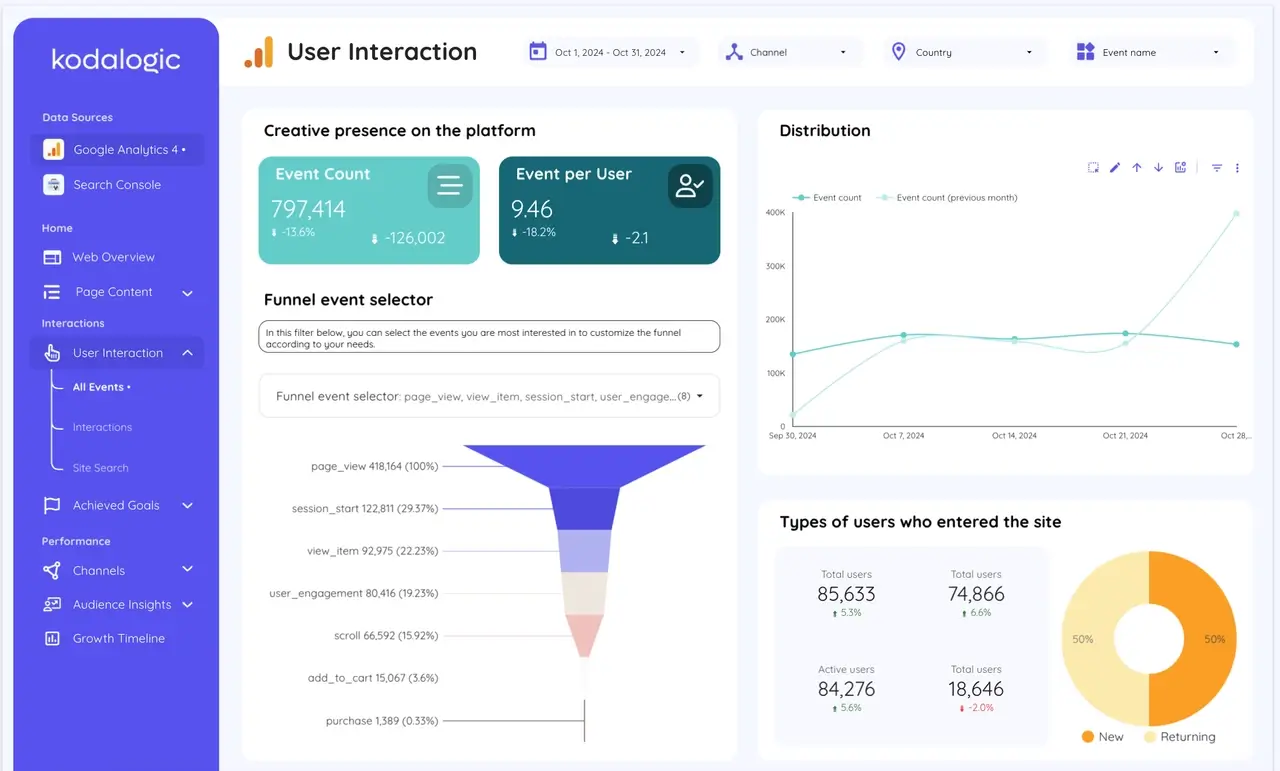
Combine the power of Google Analytics 4 and Google Search Console in one sleek dashboard. Kodalogic’s Web & SEO Performance Dashboard provides a clear, unified view of your website’s analytics and search performance, helping you make smarter, faster decisions with less effort.
Key Features at a Glance
| Feature | Benefit |
|---|---|
| Integrated GA4 + GSC Data | View web traffic, user behavior, and search performance all in one place. |
| Clear Progress Tracking | Analyze trends over time to measure the impact of your strategies. |
| Detailed Page Analysis | Identify high-performing pages and opportunities for improvement. |
| Smart Interpretations | Actionable insights simplify complex data for immediate decision-making. |
Designed for Marketers and Business Owners
Kodalogic’s Web & SEO Dashboard is tailored for professionals who need insights without the complexity. Its user-friendly layout and Smart Interpretations make data easy to understand and actionable, empowering you to focus on strategy rather than analysis.
Best for: SEO marketers, web analysts, and businesses seeking a comprehensive view of website performance.
Explore the Web & SEO Dashboard
5. All-in-One Dashboard: The Power of Data, Made Simple
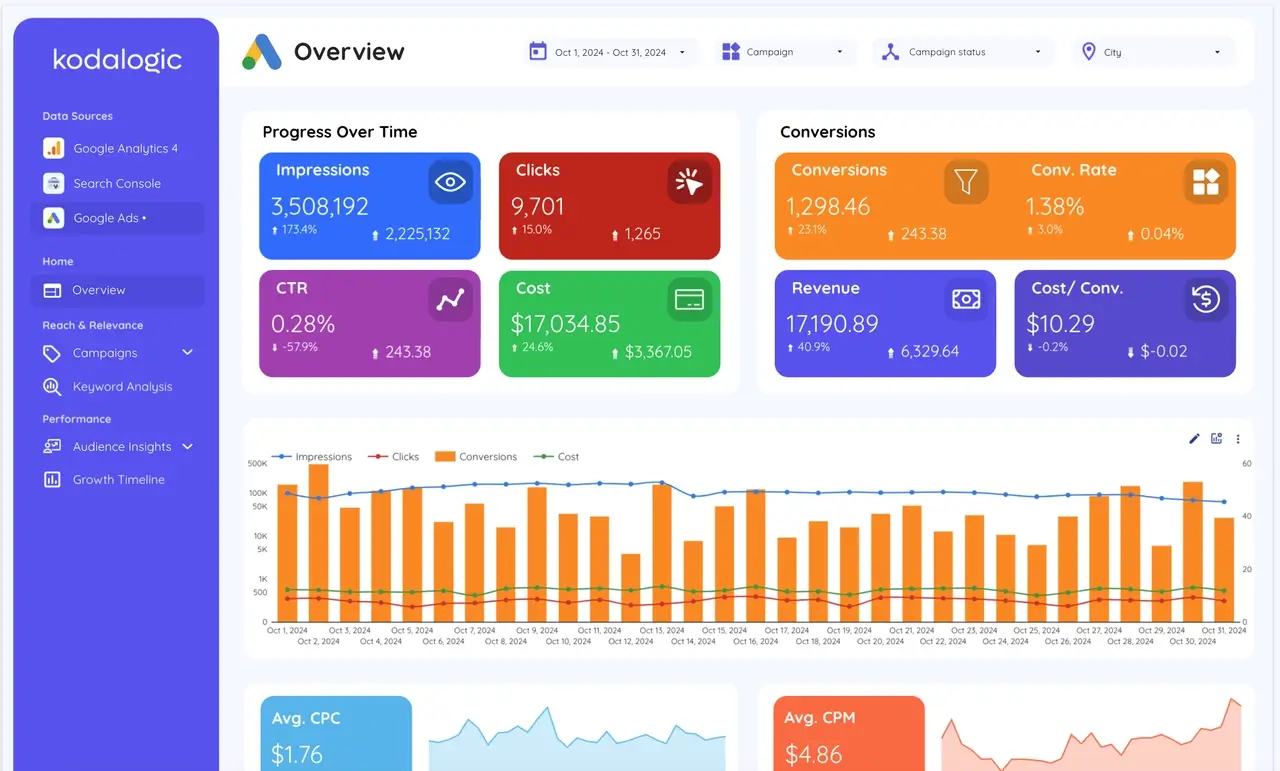
Experience a 360° view of your digital business with Kodalogic’s All-in-One Dashboard. By combining Google Analytics 4 (GA4), Google Search Console (GSC). Google Ads, this dashboard transforms raw data into actionable insights, guiding you toward smarter, faster decisions.
Dashboard Modules and Advantages
| Module | What It Does |
|---|---|
| Google Analytics 4 | Track sessions, users, bounce rate, and conversions with curated insights for faster decisions. |
| Google Search Console | Analyze keywords, CTR, and rankings with Smart Interpretations for strategic SEO insights. |
| Google Ads | Review campaign performance, discover winning keywords, and optimize ad spend for better ROI. |
Why It Stands Out
| Advantage | What It Means for You |
|---|---|
| Smart Interpretations | Focus on key trends without manually analyzing complex data. |
| Time Savings | Quick setup and automated reporting let you focus on strategy, not reporting. |
| For All Levels | Easy enough for beginners, powerful enough for advanced users. |
| Impeccable Design | A visually stunning interface that makes data-driven decisions effortless. |
Turn Data Into Intelligent Decisions
Kodalogic’s All-in-One Dashboard doesn’t just show you data; it provides a roadmap for continuous improvement. With Smart Interpretations, every metric is transformed into an actionable insight, helping you make better decisions every day.
Best for: Marketers, agencies, and businesses seeking a complete, unified view of their digital performance.
Discover the All-in-One Dashboard
Get Started Today
Stop just collecting data, start telling its story. Whether refining a campaign with the Google Ads Reporting Template or delivering an SEO review with the All-in-One Dashboard, Kodalogic makes every report exceptional.
When every decision counts, Kodalogic ensures you deliver results. This isn’t just reporting, it’s transformation.

Written by
Isaac CorreaHe runs the commercial side of Kodalogic and co-founded Hellomatik. Before that he built more than two hundred Looker Studio dashboards for clients, and collected 107 five-star reviews doing it.