Google offers two powerful tools for data analysis and visualization: Looker and Data Studio, formerly Looker Studio. Despite their similar names, they serve entirely different purposes.
One is a full-scale business intelligence (BI) platform, designed for deep analytics and data modeling. The other is a free dashboarding tool, focused on data visualization and reporting.
So, which one should you use? Here’s a detailed breakdown.
Key Differences Between Looker and Looker Studio
| Feature | Looker | Looker Studio |
|---|---|---|
| Type of Tool | Business Intelligence (BI) platform | Data visualization and reporting tool |
| Data Processing | Uses LookML for data modeling | Connects to external data sources |
| Data Storage | Works with centralized databases | Doesn’t store data, only visualizes it |
| Data Integration | Direct database queries via SQL | Connects to 1,000+ third-party sources |
| Pricing | Paid, enterprise-level | Free (with Looker Studio Pro options) |
| Best For | Large businesses, advanced analytics | Small teams, marketing, reporting |
Looker processes and models data, making it suitable for data analysts and enterprise-level decision-making. Looker Studio focuses on visualization, making it ideal for marketing teams, agencies, and small businesses.
What is Looker?

Looker is Google’s enterprise-grade Business Intelligence (BI) platform, designed to handle complex data modeling, large datasets, and real-time analytics. Unlike Looker Studio, it doesn’t just display data, it transforms, models, and processes it for deeper insights.
Key Features of Looker:
- ✔ Uses LookML, a structured modeling language for analytics.
- ✔ Direct database querying, ensuring real-time and high-performance insights.
- ✔ Centralized data governance, enforcing metric consistency across teams.
- ✔ Advanced embedding and API support, allowing integration into other tools.
- ✔ AI-powered analytics, enabling predictive insights and automated reporting.
Looker is the best option for businesses that need scalable, governed, and deeply integrated analytics solutions.
What is Looker Studio?
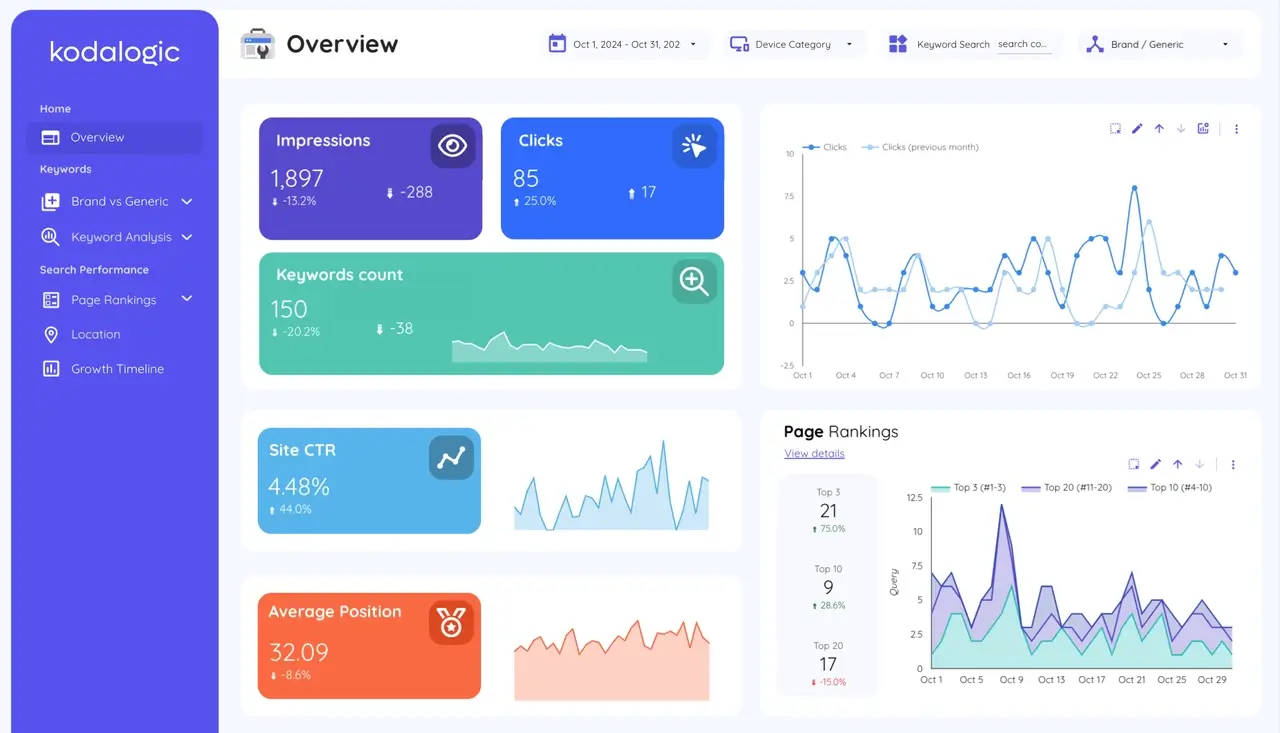
Looker Studio, before known as Google Data Studio, is a free tool for creating interactive dashboards. Unlike Looker, it doesn’t store or process data, it visualizes it from external sources like Google Analytics, Google Ads, and databases.
Key Features of Looker Studio:
- ✔ No data storage, it connects to external sources in real time.
- ✔ Drag-and-drop report builder, making it easy for non-technical users.
- ✔ Over 1,000 connectors, including Google Sheets, BigQuery, and third-party APIs.
- ✔ Blending capabilities, allowing cross-source comparisons.
- ✔ Looker Studio Pro available, adding advanced collaboration features.
Looker Studio is ideal for businesses that need a simple, accessible. Shareable dashboarding tool without the complexity of a full BI platform.
When to Use Looker vs Looker Studio?
| If you need... | Use Looker | Use Looker Studio |
|---|---|---|
| Enterprise-level BI and analytics | ✔ | ✘ |
| Advanced data modeling and governance | ✔ | ✘ |
| A free and easy-to-use dashboard tool | ✘ | ✔ |
| To connect Google Ads, GA4, and BigQuery | ✘ (Requires setup) | ✔ (Direct integration) |
| Custom applications and embedded analytics | ✔ | ✘ |
| Self-service reporting and quick visualizations | ✘ | ✔ |
Final Thoughts: Which One Should You Choose?
- Choose Looker if you need an enterprise-level BI tool for complex data modeling, automation, and advanced analytics.
- Choose Looker Studio if you need a free and flexible tool for creating marketing dashboards and business reports based on external sources.
Both tools serve different needs, and the right choice depends on how deeply you need to process and analyze your data.
Need Help with Looker Studio?
Setting up the perfect dashboard can be time-consuming. But you don’t have to start from scratch.
✔ Use a ready-made template: Our Looker Studio Templates are designed for marketing, eCommerce, SEO. Business intelligence, fully customizable and easy to use.
✔ Need something tailor-made? We can create a custom Looker Studio dashboard that fits your business needs perfectly. Get in touch with us here: Contact Us.
Make better decisions, faster, without the hassle.

Written by
Isaac CorreaHe runs the commercial side of Kodalogic and co-founded Hellomatik. Before that he built more than two hundred Looker Studio dashboards for clients, and collected 107 five-star reviews doing it.